What “streamlined” actually means for your next ride
You can usually tell a “streamlined” setup by what you don’t do at a stoplight: no unlocking your phone, no swapping between three map apps, no wondering which one is recording the ride, and no digging for weather after you’ve already committed to the pass. Streamlined means a small set of apps that each have a clear job—navigate, record, alert, plan—and don’t fight for your screen, GPS, and notifications.
The trade-off is that the cleanest workflows often cost money (subscriptions for better routing, offline maps, or crash detection), and they can cost battery if you leave everything running. The goal for 2026 isn’t the “best” app; it’s the least app-switching that still works when signal drops, rain rolls in, or you’re wearing gloves.
Navigation apps: twisties, offline maps, and clean prompts
You’ll notice the navigation problem the first time you miss a turn because the prompt came late, or because your screen is cluttered with tiny labels you can’t safely read at speed. For most riders, the real split isn’t “motorcycle vs car” maps—it’s whether the app can (1) build a route that isn’t all highways, (2) keep working when service drops, and (3) speak clearly through your comms without constant re-routing.
“Twisty” routing can be fun, but it’s rarely predictable: it may add time, pull you onto low-maintenance roads, or send you through towns with stop signs every block. Treat it like a mode you enable for a weekend ride, not a default for commuting or making a ferry time. Offline maps matter more than people expect; downloading a region before you leave is cheap insurance, but it costs storage and requires you to update occasionally so closures and new roads aren’t missed. The cleanest setups also limit prompts: fewer alerts, earlier lane guidance, and a simple “next turn + distance” display you can glance at with gloves on.
Ride recording: tracking stats without draining your battery
You feel the battery drain when you try to record everything: GPS track, speed, lean angle estimates, camera, music, and a navigation overlay all at once. For most riders, ride recording is useful for three things—remembering the route, tracking distance/time, and keeping a simple log you can refer to later—so it’s worth being selective about what data you actually need on every ride.
Start by deciding whether you’re recording “always” (commutes and errands) or “only when it matters” (weekend rides and trips). Always-on tracking is the fastest way to end up with a hot phone and a dead battery, especially in a mount under direct sun. If your nav app can drop a breadcrumb track automatically, that may be enough. If you want a dedicated recorder, prioritize one that lets you lower GPS accuracy or sampling rate, runs with the screen off, and exports cleanly (GPX) so you’re not locked in. The practical cost is setup time: permissions, battery-optimization exceptions, and testing it once before a long day out.
Safety and emergency: crash alerts, roadside help, and trust
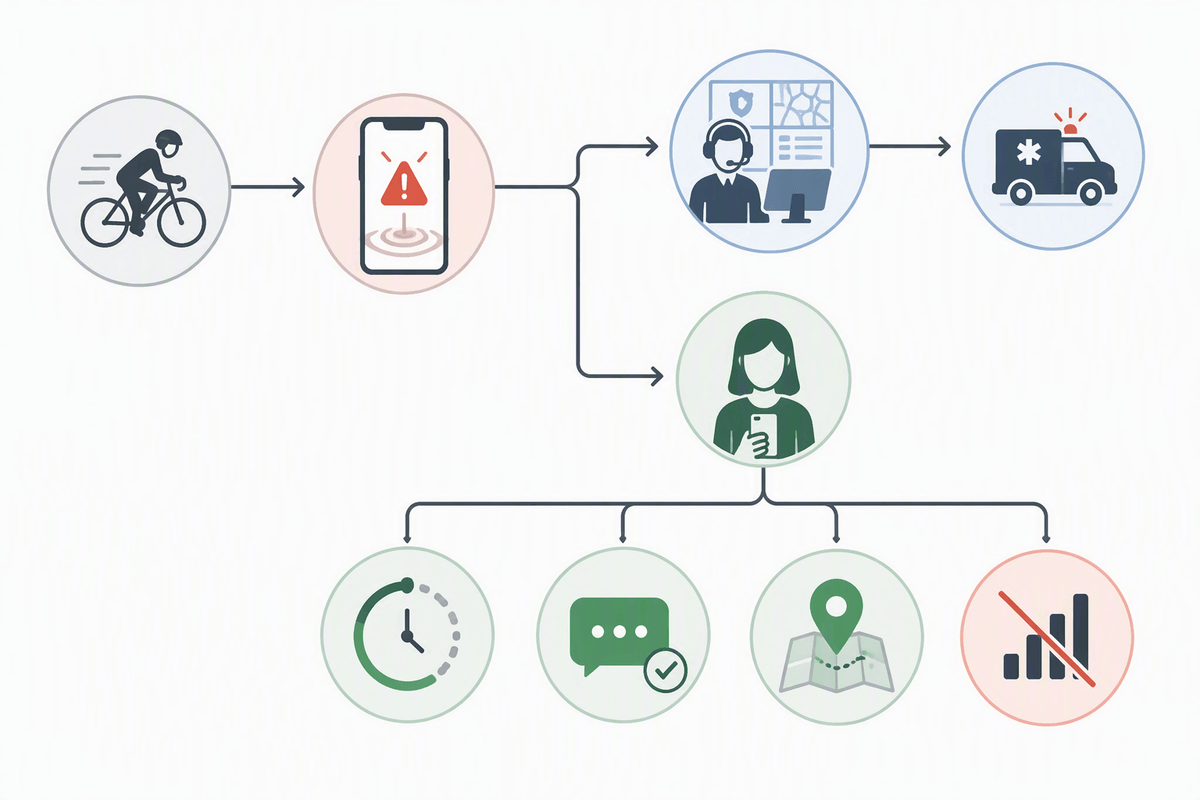
The safety features you actually notice are the ones that work when you can’t touch your phone: crash detection that can call for help, location sharing that updates without constant fiddling, and a “one tap” way to reach roadside assistance. The catch is trust. Crash alerts can false-trigger if you drop the bike in a parking lot or hit a hard pothole, and they can fail if the phone is locked down by battery-saving settings, has no signal, or is overheated in a sun-baked mount.
Before you pay for a subscription, check the workflow end-to-end: who gets notified (911 vs a contact), how long the countdown is before it calls, whether it works with your comms, and what happens without data (SMS fallback, cached location, or nothing). Roadside help inside an app is convenient, but it can be redundant if you already have coverage through insurance, a manufacturer program, AAA, or a club. The practical cost is setup time: permissions, emergency contacts, Medical ID details, and a quick test run at home so you’re not troubleshooting on the shoulder.
Weather and road conditions: planning beyond a radar screenshot
You’ve probably checked a radar blob, shrugged, and rolled out—then found the wind is worse than the rain, the temperature drops 15°F at elevation, or the road is still wet under tree cover long after the storm “passed.” For riding, the useful weather view is less about pretty maps and more about timing: when the front arrives, how long it lingers, and what conditions you’ll hit at the highest and shadiest parts of your route. A good workflow is a quick hourly look plus a separate glance at wind gusts and temperature-by-elevation before you commit to a pass or a long slab.
Road conditions are where weather apps stop being enough. Construction, closures, gravel washouts, and seasonal gates often show up first in state DOT feeds, park/forest road status pages, or local alert systems, and they’re rarely presented in one clean place. The constraint is effort: you may need to bookmark two or three official sources for the areas you ride, and you’ll still occasionally meet a “Road Closed” sign that wasn’t reflected anywhere in time.
Maintenance and costs: reminders that prevent expensive surprises
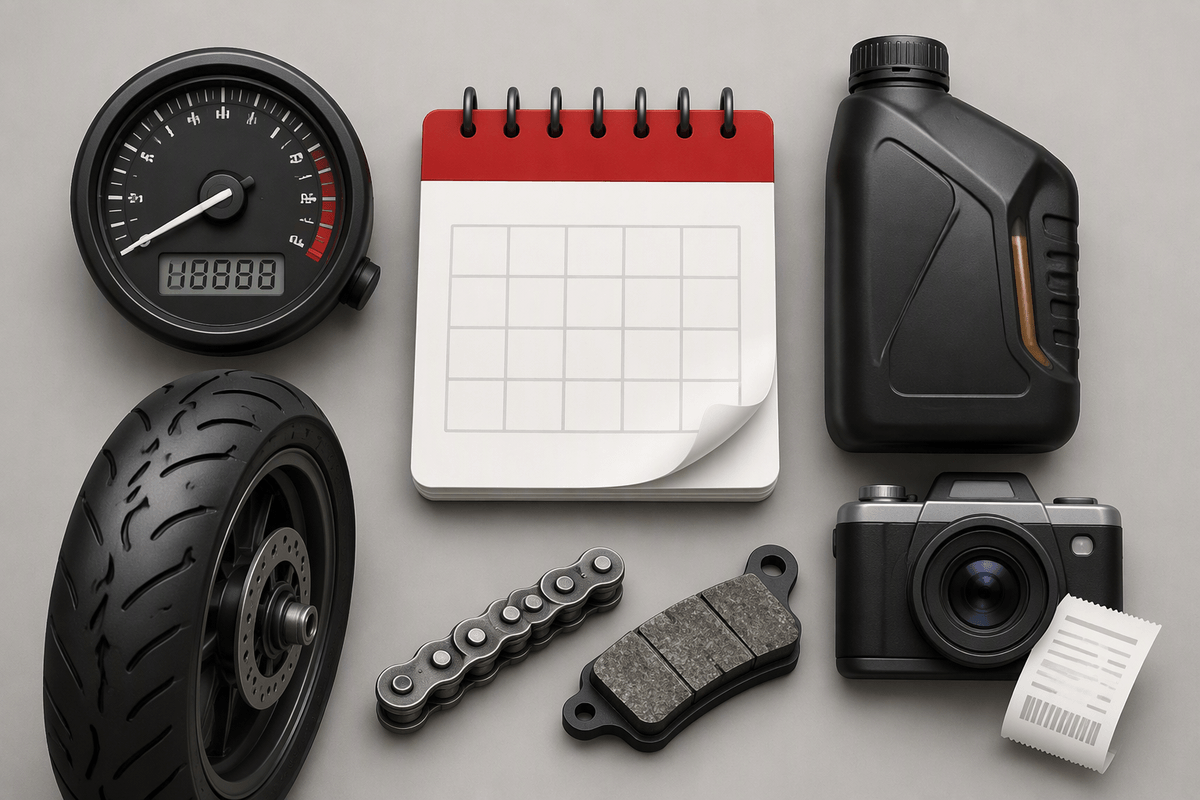
You usually feel maintenance pain in the boring moments: a chain that starts snatching because you forgot the last lube, tires that age out quietly, or a “cheap” commute that turns expensive when you miss an oil interval. A maintenance app is only useful if it reduces uncertainty without turning into homework. The best setups are simple: track mileage automatically (or via quick odometer entries), set reminders by miles and by date (because rubber and brake fluid age), and attach a photo of receipts so you can answer “when was this done?” in ten seconds.
Costs get slippery when apps push premium tiers for “garage” features that are basically spreadsheets. Paid plans can be worth it if they sync across devices, let you export your history, and handle multiple bikes without friction. The practical constraint is data quality: if you skip two entries, your reminders drift. If you’re not consistent, keep it narrow—oil, tires, chain, and brake pads—and ignore the rest.
Build a 3–5 app “stack” you’ll actually use
You’ll get more reliability from a small “stack” than from chasing a perfect all-in-one. A commuter stack can be just: one primary nav app with offline maps, one weather app that shows hourly wind gusts, and one safety layer (crash alerts or live location sharing). Weekend and touring riders often add a dedicated ride recorder (GPX export, screen-off mode) and a simple maintenance log. Pick one “winner” per job and delete the overlap—two navigation apps fighting for audio prompts is how you miss turns.
Expect trade-offs. Offline maps cost storage and occasional updates. Crash features and background tracking can require subscriptions and battery-optimization exceptions, and they still won’t work well if your phone overheats in direct sun. Do one dry run at home: download a region, start a route, start recording, send a test location share, then lock the phone and confirm it keeps running.